14% off
FeelWorld L1 PLUS Multi Video Mixer/Switcher
₦590,000.00Current price is: ₦590,000.00. Original price was: ₦690,000.00.
- 4 x HDMI DCI/UHD 4K Inputs / PGM Output
- USB 3.0 Live Streaming Output
- LAN Port & Software for Remote Control
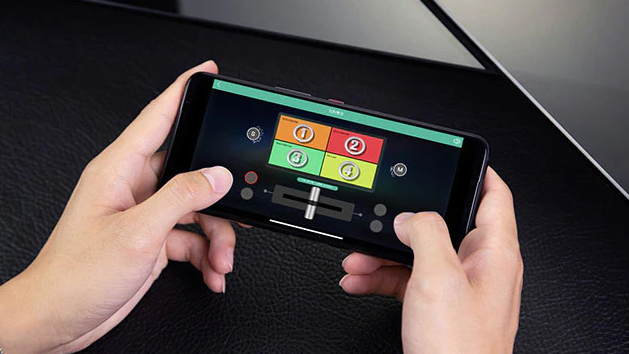
- iOS/Android Remote Control App
- 3.5mm Audio Input & Output
- 2″ TFT LCD 4-Channel and Menu Display
- 14 x Transitions with Adjustable Timing
- 8 x Picture-in-Picture Modes
Buy Now
Add to cart
Product Description
FeelWorld L1 PLUS Multi Video Mixer/Switcher
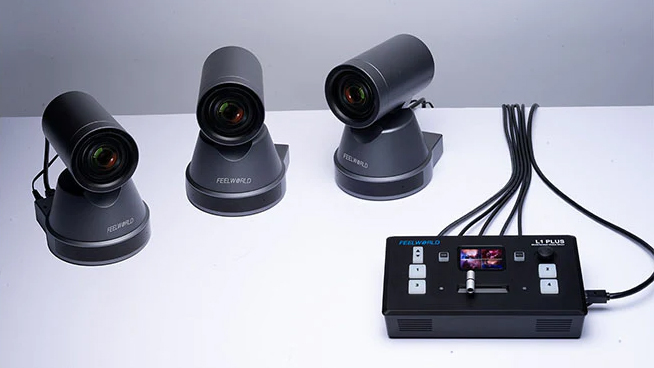
The FeelWorld L1 PLUS Multi Video Mixer/Switcher is a multi-format live streaming mini switcher designed as an affordable solution for direct or remote single-user operation. It supports up to four DCI/UHD 4K HDMI sources, including PTZ cameras, gaming systems, laptops, and desktops to add PowerPoint slides, video clips, and web pages. The FeelWorld L1 PLUS Multi Video Mixer/Switcher can be used for all online productions, training projects, and live events.
Simplified Workflow
The FeelWorld L1 PLUS Multi Video Mixer/Switcher is for video creators or anyone who wants to create broadcast-quality multi-camera programs quickly from anywhere. You can live switch between HDMI inputs to stream to YouTube, Facebook, vMix, OBS, Instagram, Skype, or Zoom for innovative business presentations, easily control up to eight PTZ cameras, and save up to 8 scenes for quick switching. Best of all, the FeelWorld L1 PLUS Multi Video Mixer/Switcher is plug and play, you don’t need to be a video professional to achieve great-looking results.
PTZ Camera Control

The FeelWorld L1 PLUS Multi Video Mixer/Switcher can control cameras that support the VISCA-over-IP protocol. Once your camera is connected to your LAN (Local Area Network), you can control up to 8 PTZ cameras via the Feelworld Live App, it is ideal for audiovisual and IT professionals who need to manage multiple PTZ cameras on their network remotely. You can also save camera position and zoom preset information for quick retrieval the next time you use it.
USB 3.0 Fast Live Streaming
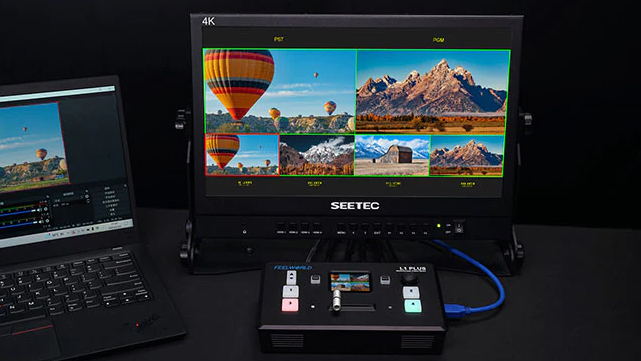
The FeelWorld L1 PLUS Multi Video Mixer/Switcher features a USB 3.0 connection that operates as a simple webcam source. It can connect to any computer, so any streaming software for social media platforms will work, such as OBS software for live streaming, or conference software (Skype, Zoom, Tencent conference, and Yealink) for business presentations. All switching is in real-time, so you can live stream to any social media platform such as YouTube, Facebook, TikTok, Douyu TV, and many more.
Joystick Control

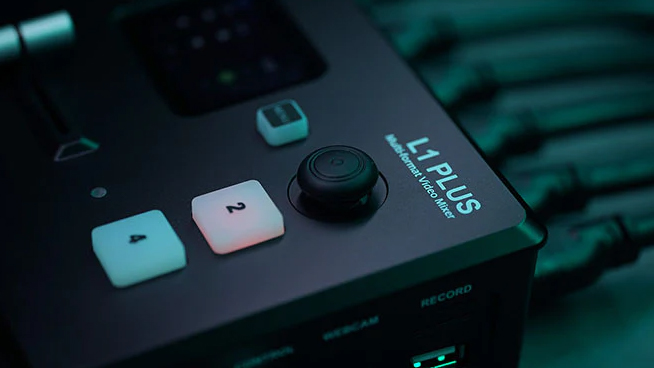
The 5-direction joystick on the FeelWorld L1 PLUS Multi Video Mixer/Switcher panel can easily control PTZ, PIP, and logo overlay functions. You can control left/right, and up/down movement when PTZ control is enabled; in PIP, left-right-up-down to move the picture position when it is under position adjustment and press middle to switch the A/B layer; you can also adjust the logo size when Logo overlay is enabled.
Chroma Key and Logo Overlay

For news or on-set presentation work, the L1 PLUS V2 features the powerful Chroma Key for green screen or blue screen keying effects, and you also get precise controls for edge and flare. You can even use the Logo overlay function to create a title overlay effect.
Picture-in-Picture

One of the benefits of using the FeelWorld L1 PLUS Multi Video Mixer/Switcher with a multi-camera setup is that you can use the Picture-in-Picture (PiP) function to display two inputs at the same time. Any of the four HDMI inputs can be used for a picture-in-picture effect over the program output, with selecting your favorite mode (8 optional modes) with controls for the size and location of the overlayed image.
Audio I/O and Multi-Channel Mixing
The 3.5mm inputs of the L1 PLUS V2 support one dynamic microphone or one headset (connect earphone to monitor); Through the input line, you can use a wireless Lavalier microphone or line-level output from the external audio console to mix multiple external audio inputs. The unit also supports a mixed output of multiple channels, and it also supports audio delay.
Quick Access through LED Display
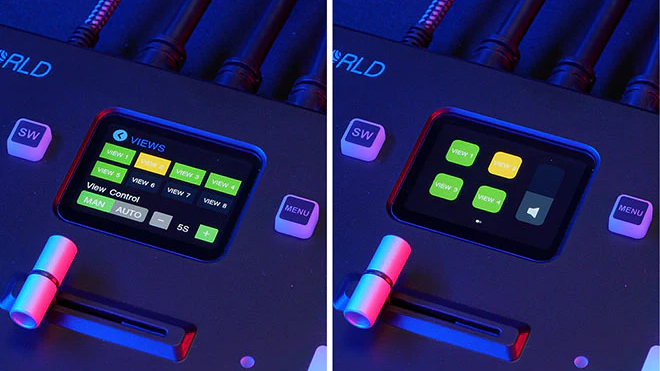
The FeelWorld L1 PLUS Multi Video Mixer/Switcher supports saving presets in real time. You can save all the currently set parameters, including PIP layout, Chroma Key setting, and PTZ presets as view (max save 8 views). When you need to load any preset, you can press the shortcut button SW and push the corresponding View key in Shortcut interface. In addition, you can also set manual/auto switching, and schedule switching.
Transition Effects

The FeelWorld L1 PLUS Multi Video Mixer/Switcher includes a range of broadcast-quality transition effects. You can set switch-transition effects from 0 seconds to 10 seconds, or you can use the T-Bar to switch the special effects manually.
HDMI Output to Monitor

You can use an HDMI cable to connect the HDMI output of the FeelWorld L1 PLUS Multi Video Mixer/Switcher to a monitor with an HDMI input interface to display all cameras, audio meters, preview, and final program output on the same monitor in real-time. HDMI output supports resolution settings and supports up to 1080p60 resolution.
Computer/Phone App Control

After connecting the LAN port to a macOS or Windows computer, you can control the L1 PLUS V2 via the Feelworld Live app. Feelworld Live simulates the L1 PLUS V2’s real-world appearance of the hardware, and more functions are not possible with the hardware. The iOS/Android smartphone app can also remotely control the L1 PLUS V2 via Wi-Fi.
Hardware Features
The FeelWorld L1 PLUS Multi Video Mixer/Switcher is housed in an ultracompact housing and provides all the connections required around the sides, the controls on top, and a 2″ color touchscreen with a quad preview. There is a 1/4″-20 thread on the bottom, so you can mount the L1 PLUS V2 onto a tripod or console.


Reviews
There are no reviews yet.